
3D architectural modeling sits at the intersection of design, communication, and coordination. The same model has to support design exploration, client presentation, consultant integration, and eventual progression into construction documents. When the model is built well, all four uses run cleanly. When it's built badly, every use falls back on workarounds.
Most 3D modeling problems aren't software problems. They're capacity problems. Designers can't model and design at the same speed, presentations get rushed, and consultant integration gets deferred until the model is too far along to easily restructure.
AEdigo gives architecture firms, design-build contractors, and developers on-demand access to pre-vetted 3D architectural modelers. They build clean, structured, presentation-ready and coordination-ready models in Revit, SketchUp, Rhino, and the visualization stack your firm runs.
What 3D architectural modeling services actually deliver
The output isn't a model file. It's a model that supports the use case it was built for, whether that's design exploration, client presentation, consultant coordination, or progression to CD.
Typical outputs from a 3D architectural modeler working through AEdigo:
Design development 3D models progressed from schematic concepts
Presentation-ready models for client and stakeholder reviews
Coordination-ready models for consultant integration
BIM models structured for CD progression
Site context and massing studies
Interior 3D models for design development and FF&E coordination
Visualization-ready models exported to Lumion, Enscape, or Twinmotion
Detail studies for façade, structural expression, or design feature elements
When you actually need 3D architectural modeling support
Designers are modeling instead of designing, and design quality is suffering.
A client presentation deadline is approaching and the model isn't ready.
Multiple projects are stacking into 3D modeling simultaneously.
Consultant integration is bottlenecked because the architectural model isn't structured for federation.
A design competition is consuming bandwidth from active client work.
Site context, massing, or detail studies are needed and the in-house team can't carry the production.
The firm is moving from 2D-led to BIM-led delivery and needs ramp capacity.
How AEdigo runs 3D architectural modeling work
1. Match against use case and software stack
Presentation specialists don't get matched to BIM coordination scopes. SketchUp-fluent modelers don't get placed where Revit federation is the actual need. The match accounts for the model's intended use and software fluency.
2. Kick-off on standards and structure
Template, naming conventions, family standards, level structure, and federation rules. A model built without structure costs more downstream than the modeling work itself.
3. Production cadence
Modeling work runs on the cadence the use case requires. Presentation work runs against client review dates. DD modeling runs against design progression. Coordination modeling runs against consultant integration milestones.
4. Internal review for use case fit
Before delivery, the model goes through self-review against the intended use. Presentation models get reviewed for visual readiness. Coordination models get reviewed for federation discipline. CD-progression models get reviewed for downstream integrity.
5. Progress report
Modeling progression, presentation milestones, coordination integration status, and revision pipeline. Project leadership sees the modeling work as it actually moves.
Tools 3D architectural modelers work in
Autodesk Revit for BIM-led architectural modeling
SketchUp for design development and concept modeling
Rhino for complex geometry and design exploration
AutoCAD 3D for AutoCAD-led firms with 3D requirements
Lumion, Enscape, and Twinmotion for visualization workflows
Navisworks for coordination model federation
Dynamo and Grasshopper for parametric and automated modeling
What separates a 3D architectural modeler from a 3D operator
Anyone can extrude a building. The professional who delivers a model that supports its intended use builds with discipline on structure, families, level naming, and federation logic that pays back through the rest of the project.
AEdigo vets 3D architectural modelers on:
Architectural design progression experience
Software fluency across the firm's stack
Structural discipline including families, naming, and level setup
Coordination instinct for federation with consultant models
Visualization workflow experience
BIM execution plan experience for projects requiring formal BIM delivery
Design-side fluency to engage productively with the firm's design team
Documentation discipline for modeling decisions and assumptions
Use cases by stakeholder
Architecture firms
Design development modeling across multiple projects
Client presentation model preparation
BIM coordination model production
Detail and feature studies
Design-build contractors
In-house 3D modeling support during design phases
Coordination models for cross-discipline integration
Visualization models for owner and stakeholder reviews
Developers and owners
Owner-side 3D model review and verification
Marketing and stakeholder visualization models
Pre-construction visualization for project communication
Common 3D architectural modeling failures
Modeling work fails in predictable ways. If your past projects have hit any of these, the issue is process, not effort.
Models built without naming or family discipline, generating cleanup work for downstream uses.
Presentation models built directly on coordination models, contaminating the production model with visualization artifacts.
Coordination models built without federation discipline, breaking consultant integration.
Models progressed beyond the intended LOD, creating performance issues in downstream uses.
Visualization output produced from models that weren't built with rendering in mind.
BIM models without proper level setup, complicating sheet production at CD.
Modeling decisions undocumented, requiring tribal knowledge to maintain.
Choosing a model use case before modeling starts
Most 3D architectural modeling problems trace to a single root cause: the model was built for one use case and pressed into service for another. A presentation model isn't a coordination model. A coordination model isn't a CD-bound BIM model. The structure required for each is different.
The use cases worth distinguishing at engagement start:
Design exploration models, optimized for fast iteration and design judgment.
Client presentation models, optimized for visualization output and review walkthroughs.
Site context and massing models, optimized for design analysis and stakeholder communication.
Coordination models, optimized for federation with structural and MEP and clash detection workflows.
CD-bound BIM models, optimized for sheet production, schedule generation, and downstream documentation.
Hybrid models that progress through multiple use cases as the project evolves, requiring discipline at each transition.
Why this matters at engagement start
The kick-off captures the intended use case for the model. The professional builds with the structural discipline that use case requires, instead of building generically and hoping the structure works for whatever comes next. Generic 3D modeling is the most common reason firms end up rebuilding models partway through projects.
3D architectural modeling services vs. the alternatives
The alternatives are: have designers model, contract to a freelance modeler without architectural depth, or accept that modeling capacity won't keep up with project volume.
Designers modeling instead of designing produce predictable trade-offs. Either the design suffers, or the modeling does, or both.
Freelance modelers without architectural depth produce models that look right and don't carry the structural discipline downstream uses require.
Accepting capacity gaps means presentations get rushed, coordination gets deferred, and CD progression carries unnecessary rework.
AEdigo runs 3D architectural modeling as a managed engagement: vetted modelers, your firm's standards, your software stack, with internal review and progress reporting.
How engagement works
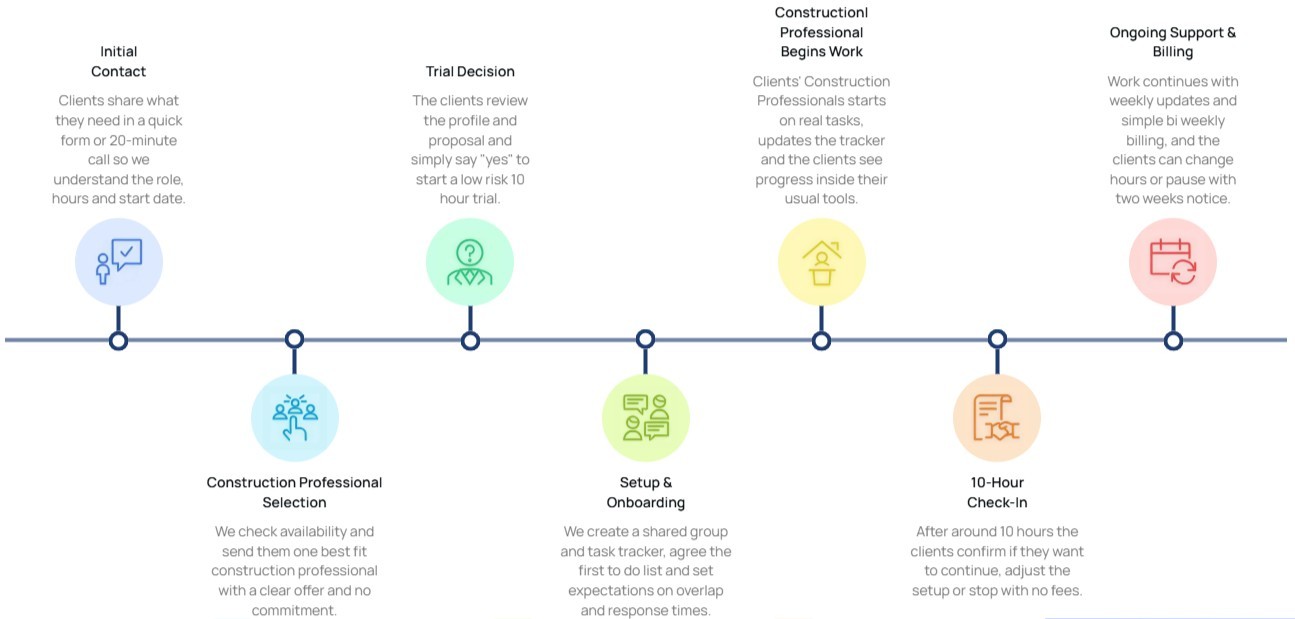
10-hour free trial
Flexible billing tied to actual hours worked
Cancel or pause with two weeks' notice
Capacity scales with project volume
Self-managed and managed tiers available
Frequently asked questions
Implementation note: Wrap this section in FAQPage schema markup (schema.org/FAQPage) to qualify for rich results in Google.
Can the modeler work in Revit, SketchUp, Rhino, or other software?
Yes. The professional pool covers the major architectural modeling tools. The match process accounts for software fluency before placement, so the modeler already knows your stack.
Will the model follow our firm's template and family library?
That's the default. The kick-off captures your template, family library, naming conventions, level structure, and federation rules. The model gets built inside your standards from day one.
Can the modeler produce visualization-ready models?
Yes. Visualization workflows including export to Lumion, Enscape, or Twinmotion are part of standard scope on presentation engagements. The modeler builds with rendering use in mind, not as an afterthought.
Will the model support CD progression?
Yes. CD-bound models get built with structural discipline including level setup, sheet preparation, and family standards that support documentation production. The kick-off locks the LOD progression and structural requirements before modeling begins.
Can the modeler handle BIM coordination with consultant models?
Yes. Coordination model production including federation with structural and MEP consultants is part of standard scope on BIM-led engagements. The model gets built with federation discipline from the start.