
As-built drawings get punted to closeout, then they get punted again. By the time someone actually has to produce them, the project team has moved on, the field markups are scattered across three superintendents' notebooks, and the retention check is sitting in the owner's hands waiting for one document set.
It's the most predictable closeout bottleneck in construction, and the one that quietly costs the most. Slow as-builts hold retention. They sour the owner relationship. They generate punch list disputes nobody can settle because the documentation is incomplete.
AEdigo gives general contractors, subcontractors, and design firms on-demand access to pre-vetted drafters who specialize in as-built production. They pull from your field markups, your RFI log, your change order record, and your inspection reports, and produce a clean as-built set the owner accepts on first review.
The work runs through a managed delivery layer with progress reporting and replacement coverage if the fit isn't right.
What as-built drawing services actually deliver
An as-built isn't a redline scan. It's a current-condition record of what was actually built, traceable to RFIs, change orders, and field decisions. That distinction matters because owners reject the first kind and accept the second.
Typical outputs from an as-built drafter working through AEdigo:
Architectural as-built drawings showing actual built conditions
Structural as-built drawings reflecting field changes and connection modifications
MEP as-built drawings with actual routing, equipment locations, and tagged components
Civil and site as-built drawings including grading, utilities, and underground
Coordination across architectural, structural, and MEP as-built sets
Cross-referenced revision logs tied to RFIs, change orders, and field directives
As-built BIM model updates if the project requires record models
Final closeout drawing packages formatted to owner submission standards
When you actually need as-built support
If any of these describe where your project is, the cost of doing nothing is already showing up as held retention or owner pushback.
You're inside the last 60 days of the project and as-builts haven't been started.
Field markups are scattered across multiple superintendents and nobody has consolidated them.
The owner is asking for as-builts before retention release and you're behind.
Your in-house drafter is moving to the next project and as-builts didn't transfer.
A subcontractor's as-built submission was rejected and you need a clean re-issue.
The project had heavy field changes and the as-built scope grew larger than planned.
You're a sub trying to close out your scope and the GC is gating retention on as-built quality.
How AEdigo runs as-built work
1. Source consolidation
The drafter pulls every source of field information: superintendent markups, RFIs, change orders, and field directives. Most as-built rework starts here, with sources nobody consolidated.
2. Standards alignment
Owner submission standards, layer conventions, titleblock format, and revision marker conventions are locked in the kick-off. As-builts that don't match the owner's submission template get rejected, regardless of accuracy.
3. Drawing-by-drawing production
The drafter works the IFC set drawing-by-drawing, applying field changes and cross-referencing the change source. Every modification carries a traceable origin, so an owner reviewer can audit any change back to the originating document.
4. Internal review pass
Before submittal, the package goes through a self-review against the source documents to catch missed redlines, conflicting changes, or incomplete updates. This is the step most as-built programs skip, and the step that owner reviewers always notice.
5. Owner submission and revision rounds
The package gets prepared in the owner's submission format and tracked through any revision cycle the owner requires. Revisions are part of standard scope, not a separate engagement.
Tools as-built drafters work in
AutoCAD for primary 2D as-built production
Revit for projects requiring as-built BIM model updates
Bluebeam Revu for redline consolidation and markup management
Autodesk ReCap for point cloud import on scan-to-as-built scopes
Civil 3D for site, grading, and underground utilities
PDF markup tools for field redline intake from superintendents and inspectors
What separates a quality as-built from a quick redline
Anyone can mark up a PDF. The drafter who produces an as-built that an owner accepts on first review knows the difference between a recordable change and a markup, between a routed source and an undocumented one, and between an actual built condition and a punch list item that hasn't closed.
AEdigo vets as-built drafters on:
Discipline on source traceability, with every change tied to an RFI, CO, or field directive
Cross-discipline coordination across architectural, structural, and MEP as-built sets
Familiarity with owner submission standards across institutional, commercial, and government clients
Revision marker discipline and bubbled-change tracking
Ability to interpret incomplete or conflicting field markups
Comfort with point cloud overlays and scan-to-as-built workflows
Communication skills strong enough to chase down field information from busy superintendents
Quality control habits that catch missed updates before owner submission
Use cases by stakeholder
General contractors
Full project as-built sets across all disciplines
Subcontractor as-built consolidation and review
Owner submission packages and revision tracking
Final closeout documentation and retention release support
Subcontractors
Trade-specific as-builts for retention release
MEP as-builts with actual routing and equipment tags
Façade and steel as-builts with field-modification documentation
Design firms
Record drawings produced from contractor-issued as-builts
Owner-side as-built quality review
Renovation projects requiring as-built baseline drawings
Common as-built mistakes that delay closeout
Most as-built rework traces back to the same predictable failures. If your current process is hitting any of these, the issue is workflow, not effort.
Starting as-builts after substantial completion instead of running them in parallel through construction.
Treating field markups as the only source, while ignoring the RFI log, CO log, and field directives.
Producing as-builts without source traceability, so the owner reviewer can't audit changes.
Submitting in a format that doesn't match the owner's submission standards.
Missing cross-discipline conflicts where an architectural change wasn't reflected in MEP as-builts.
Skipping the internal review pass before owner submission.
Treating revision rounds as out-of-scope and losing the schedule on retention release.
As-built services vs. the alternatives
The realistic alternatives are: hand the as-built scope to whichever team member has the lightest closeout load, contract a freelance drafter with no review layer, or push the cost onto the field superintendents who don't have time.
Loading as-builts onto the lightest closeout team member usually means the work gets done by someone who didn't see the project. Source traceability suffers. Owner reviewers reject the package.
Freelance drafters can move fast on price but offer no review pass, no revision coverage, and no continuity if the project pulls into another revision cycle.
Pushing the work to field superintendents takes them off punch list and inspection support, which extends the closeout schedule on the other side.
AEdigo runs as-built work through a managed delivery layer with source traceability, internal review, and revision coverage, sized to your project's actual closeout demand.
How engagement works
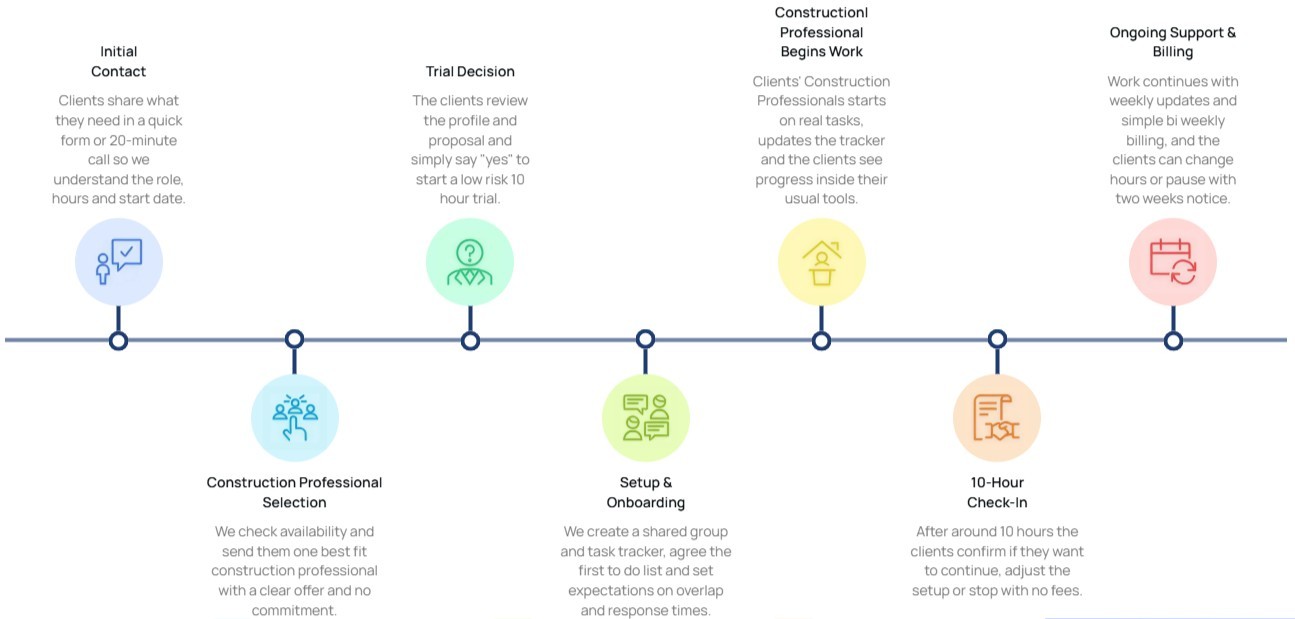
10-hour free trial
Flexible billing tied to actual hours worked
Cancel or pause with two weeks' notice
Capacity scales with closeout phase
Self-managed and managed tiers available
Frequently asked questions
Implementation note: Wrap this section in FAQPage schema markup (schema.org/FAQPage) to qualify for rich results in Google.
Do you produce as-built BIM models, or only 2D drawings?
Both. Some owners require record BIM models in addition to or instead of 2D as-builts. The match process accounts for whether the project requires BIM modeling depth or 2D drafting depth, and the drafter is matched accordingly.
How do you handle missing or conflicting field markups?
The drafter cross-references the RFI log, change order record, and field directives to fill gaps and resolve conflicts. Where information is genuinely missing, the drafter flags it for field verification rather than assuming. Owner reviewers value flagged uncertainty over guessed conditions.
Can the drafter format as-builts to match owner submission standards?
Yes. Owner-specific submission formats including federal, institutional, healthcare, and corporate standards are part of the kick-off scope. The drafter works inside the owner's titleblock, layer convention, and revision marker standard from the first drawing.
Are revision rounds against owner reviewer comments part of the engagement?
Yes. Revision rounds are part of standard scope. The drafter implements reviewer comments, updates the revision log, and re-issues the package until the owner accepts.